The open-source family organizer
Less managing. More living.
One shared place for your family’s tasks, calendar and groceries. Get every thought out of your head, pick what matters now, and share the load — on your own server, so your family’s data stays yours.
- Free & open source (AGPL-3.0)
- Self-hosted with Docker
- Made in Europe
- No tracking, no ads
- Works on iPhone & Android
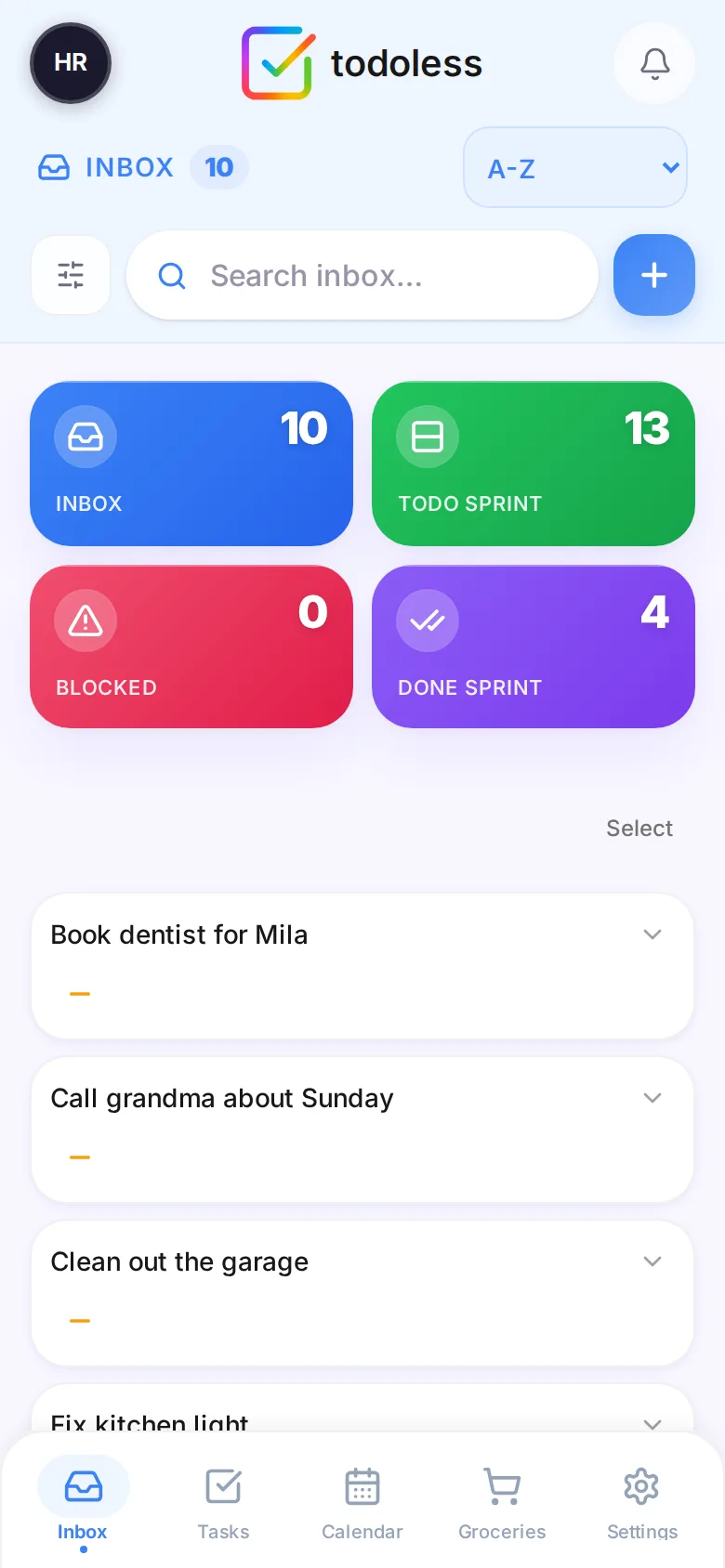
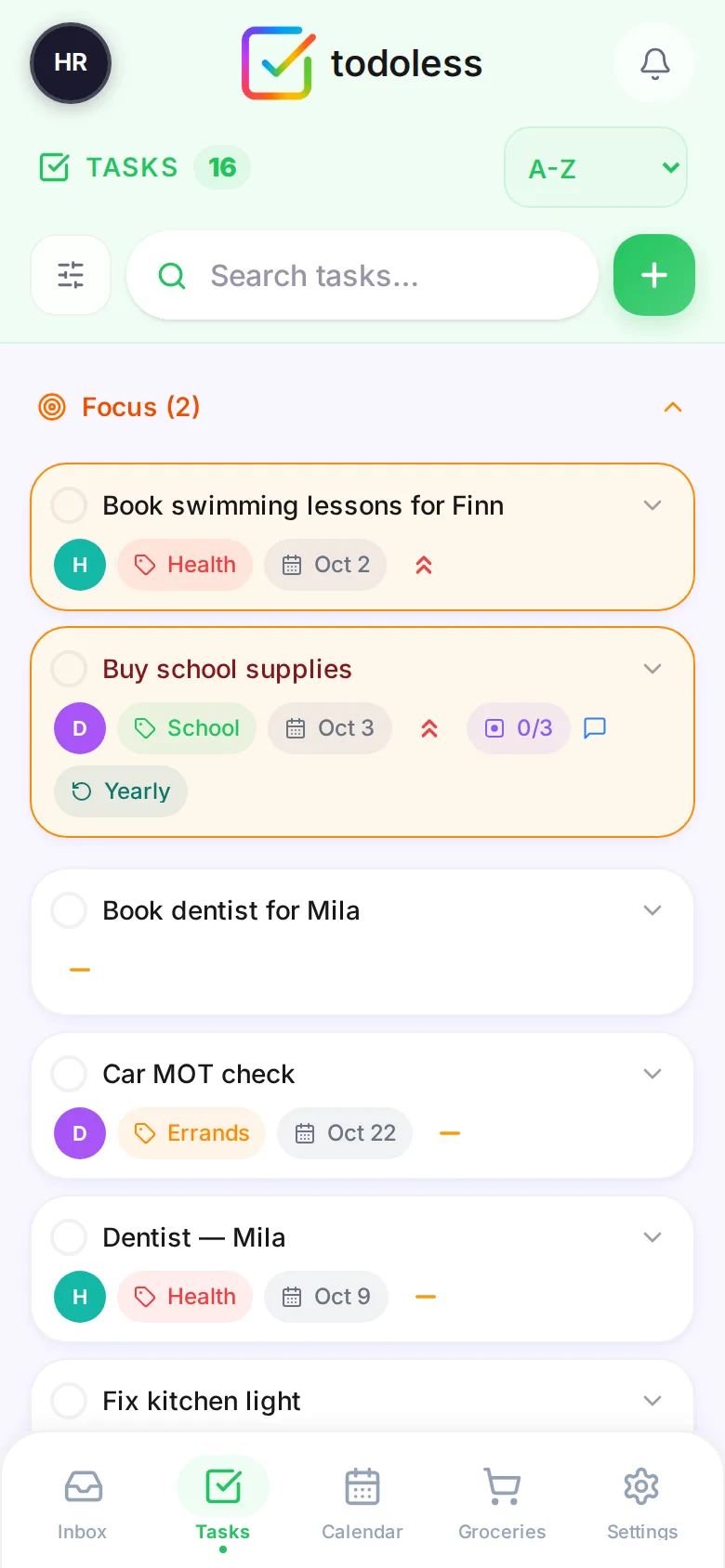
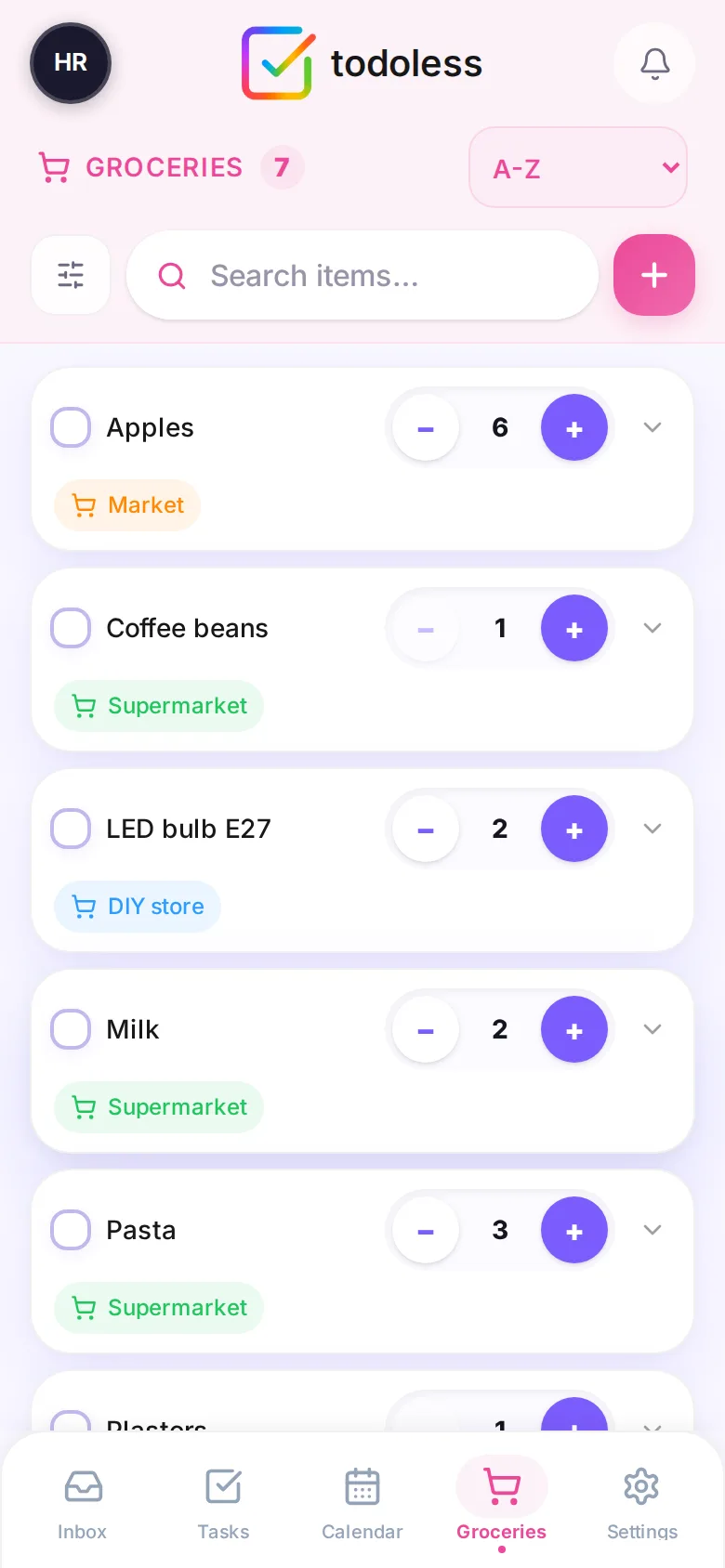
Real todoless screens · fictional River family
1Capture
Your family has too much to remember.
The dentist. The invoice. The kitchen light. Every open loop lives in someone’s head — usually yours. Brain Dump gets it out: type it, press Enter, done. Sort it out later.
Out of your head — and safe.
2Organize
Turn a thought into a plan.
When you have a minute, give a thought exactly the structure it needs — nothing more.
A thought from the Brain Dump…
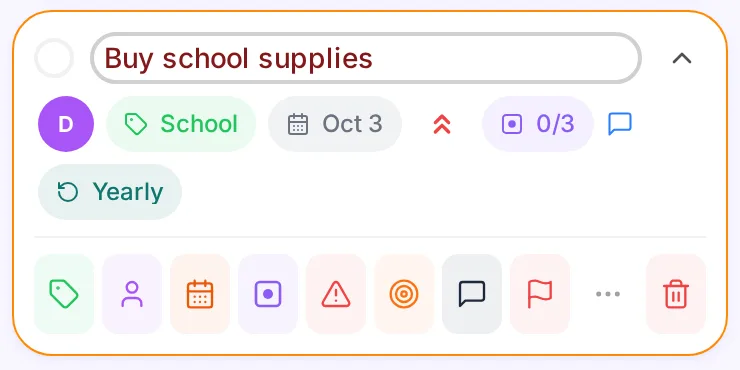
…becomes a task the whole family understands.
The action bar on every task, explained
- LabelWhat is it about?School, Home, Money — filter the whole list by context. Family, shared or private.
- AssigneeWho does it?One avatar on the card, and the job is off your plate.
- Date & timeWhen?Due date or a time slot — it lands in the family calendar.
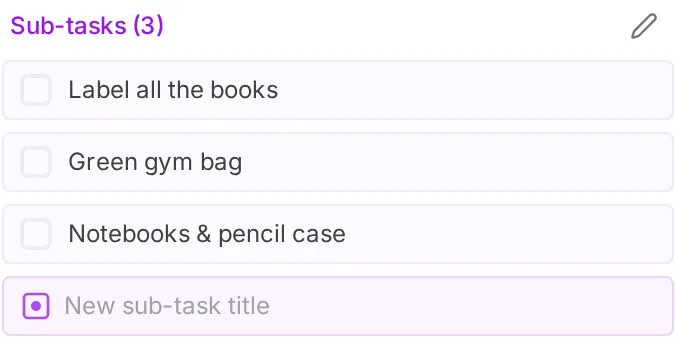
- Sub-tasksWhat are the steps?Break a big job down; the card shows progress like 1/3.
- BlockedWhat are we waiting for?Park it with a note; it shows up on the Blocked tile.
- FocusWhat needs attention now?Pins the task into the Focus section at the top.
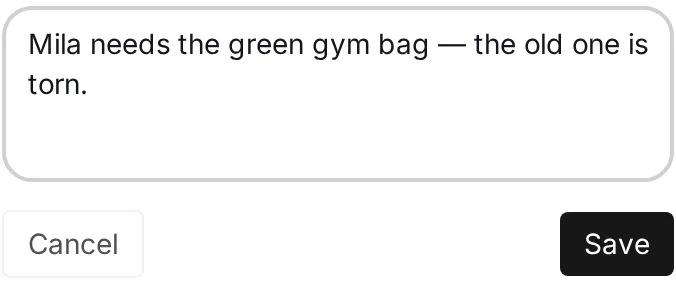
- CommentWhat should others know?The details travel with the task — no extra chat needed.
- FlagWhy does this stand out?A visual reminder, always with a short note why.
- PriorityHow important?Low, medium or high — sort the list by it.
- RepeatDoes it come back?Daily, weekly, monthly or yearly — routines recreate themselves.
3Focus
You don’t have to do everything now.
The Brain Dump remembers everything. A Todo Sprint holds only what you’ve chosen to do next. Pick a few, push them in, tick them off — the rest waits calmly.
-
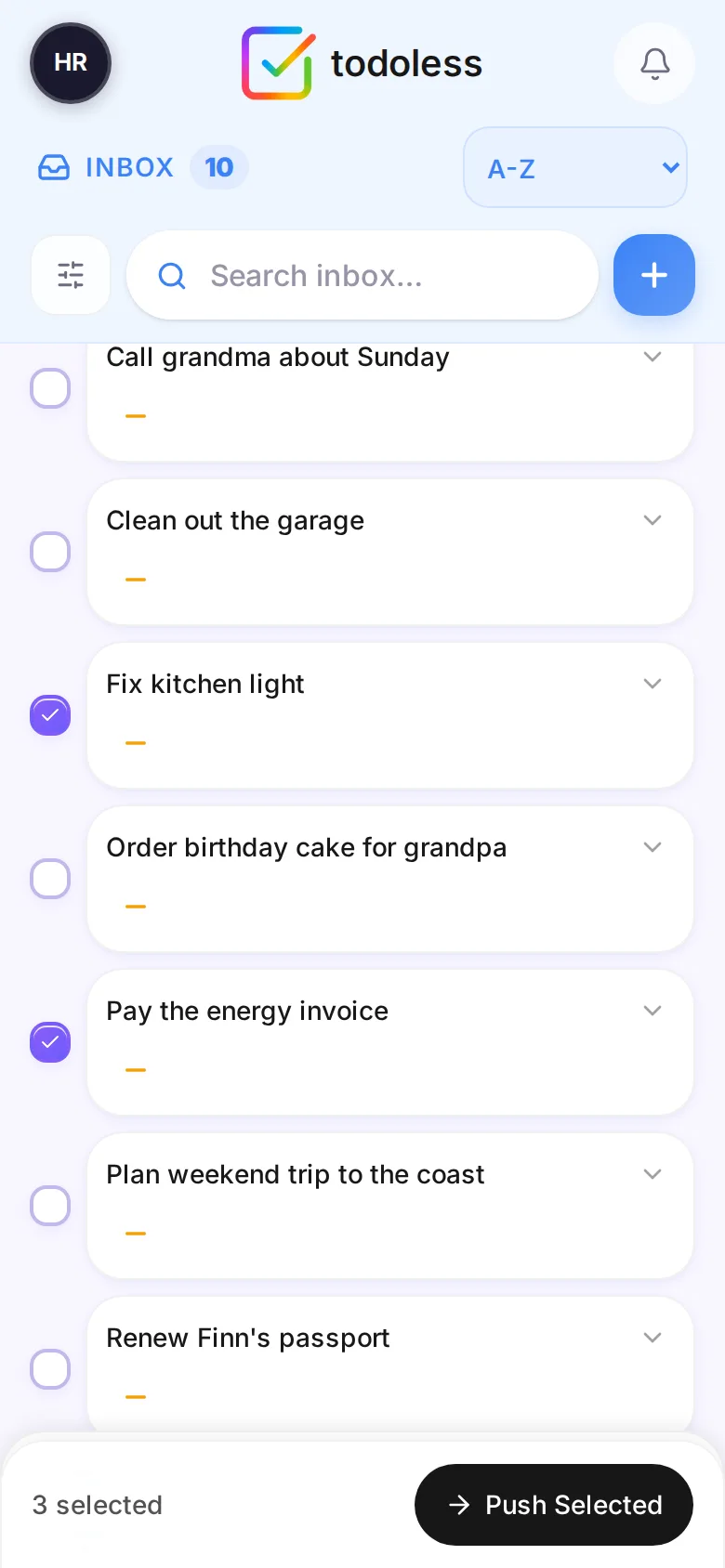
Brain Dump · 10 thoughts
1Pick a few Select what matters this week.
-
Todo Sprint · this week
2Push to the Sprint Urgent work rises to Focus.
-
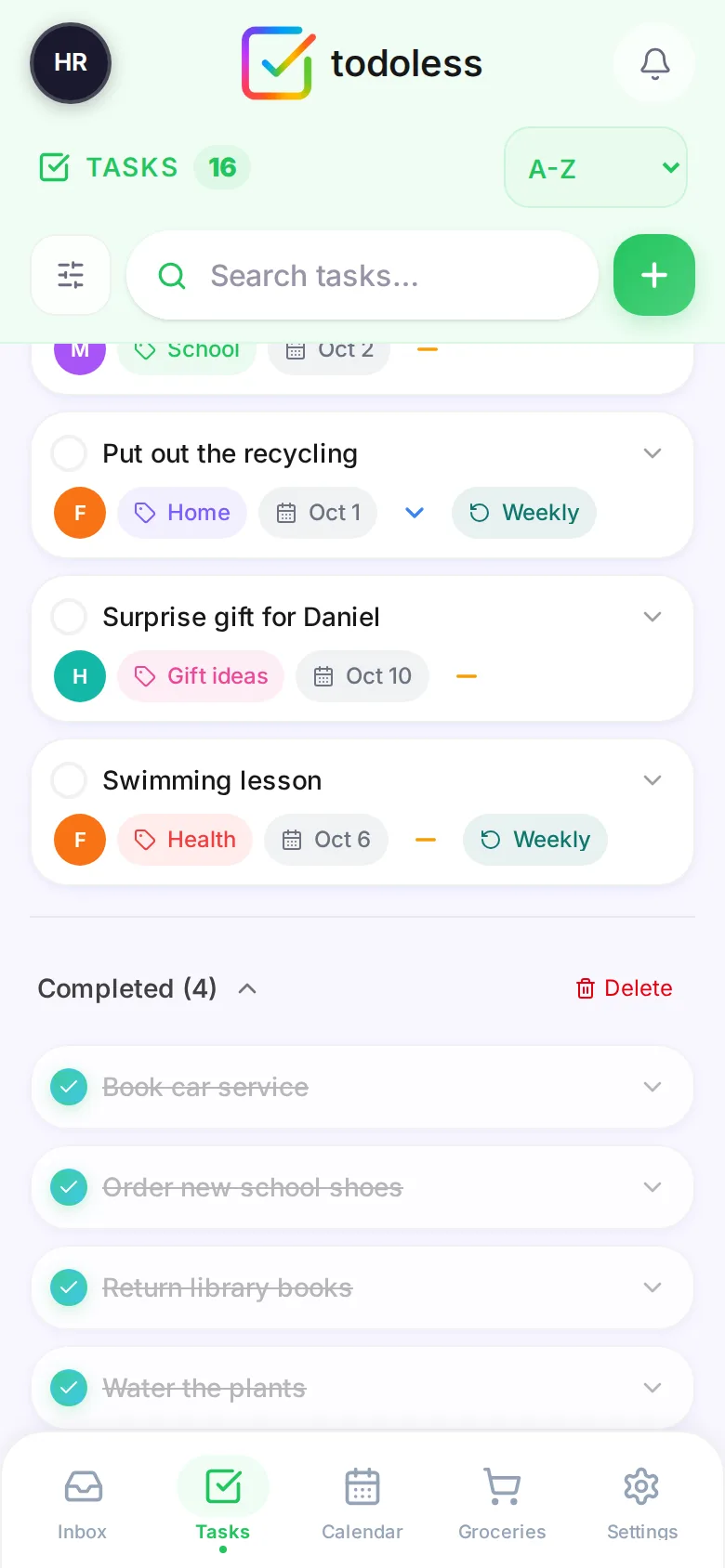
Done Sprint · finished
3Tick it off Done is done. Feel it.
Brain Dump remembers everything Todo Sprint decides what matters now
4Share
From me to us.
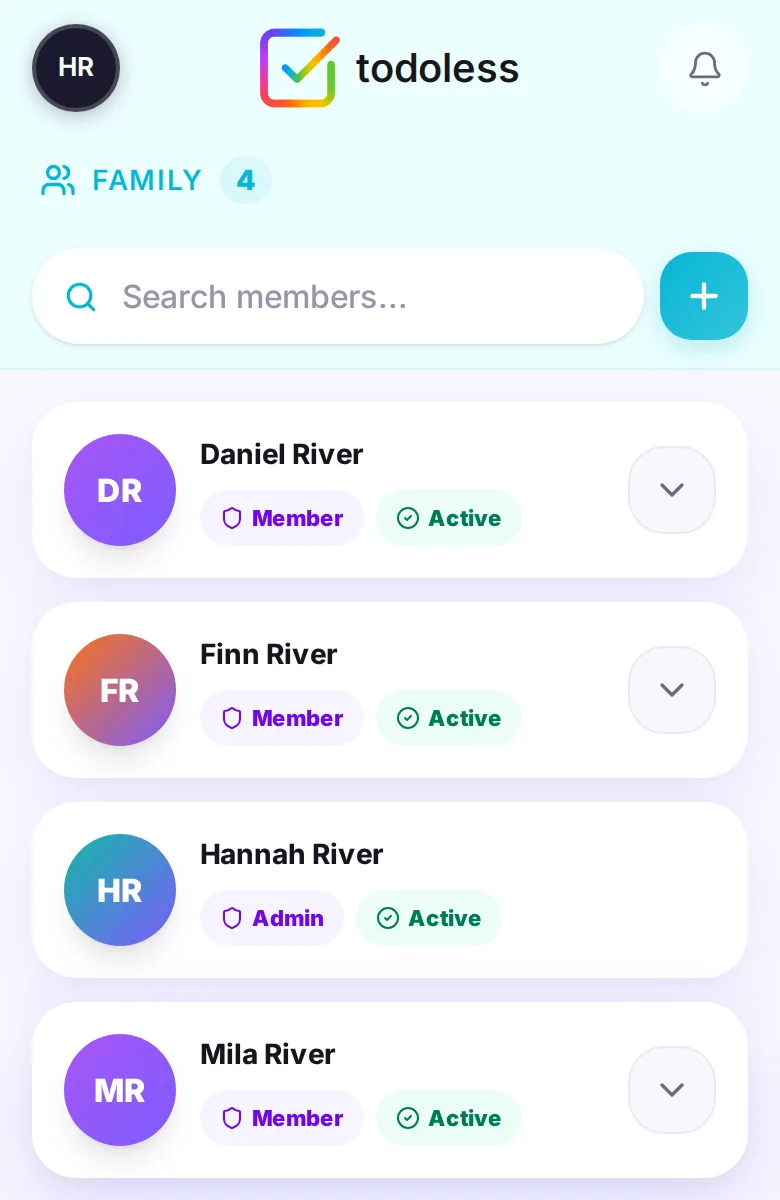
Everyone knows what matters and who’s doing what. One household, one shared space — on everyone’s phone. todoless runs in any phone browser and can be added to the home screen like an app; no app store needed.
- Invite with a code. Family members join your household in seconds.
- Assign it — and it’s off your plate. Every card shows whose turn it is.
- Shared and personal, side by side. Labels decide who sees what — see below.
- Roles. Admins manage the household; members just get on with it.
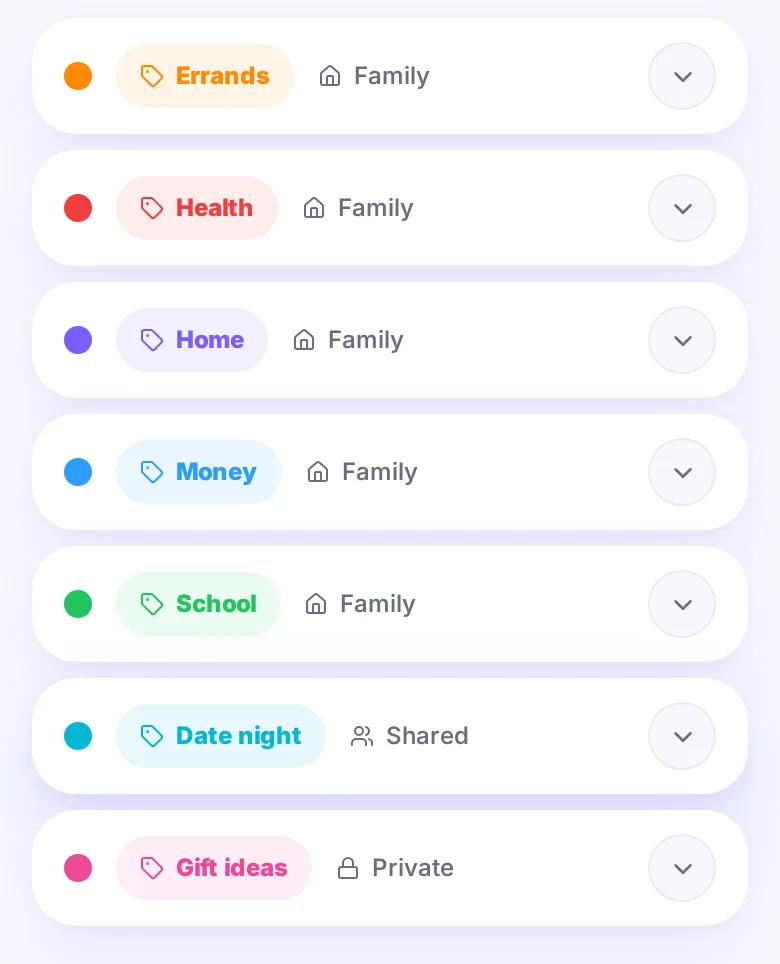
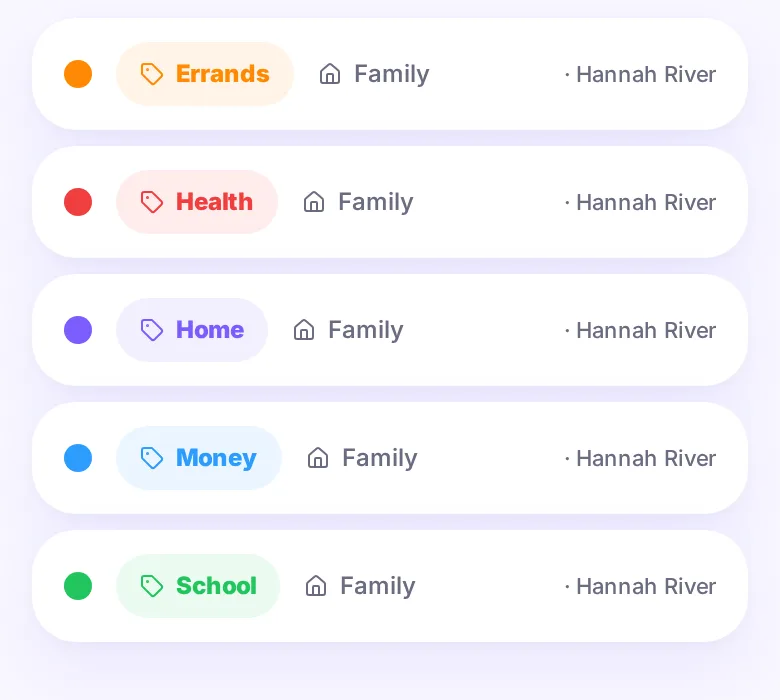
Three kinds of labels. You decide who sees what.
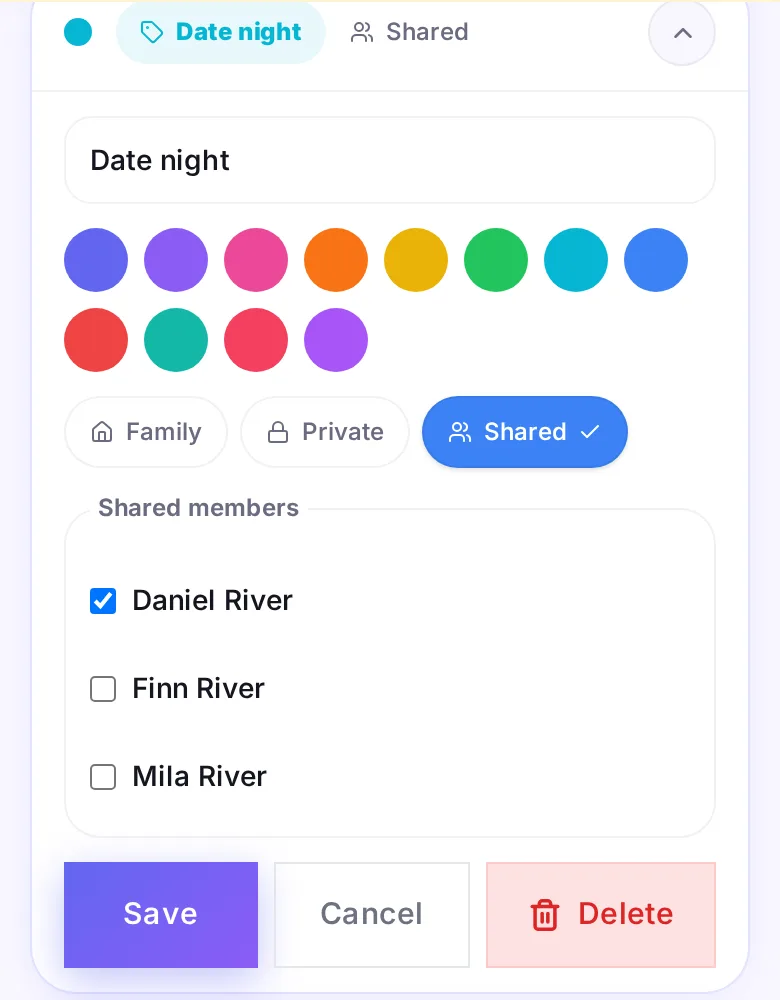
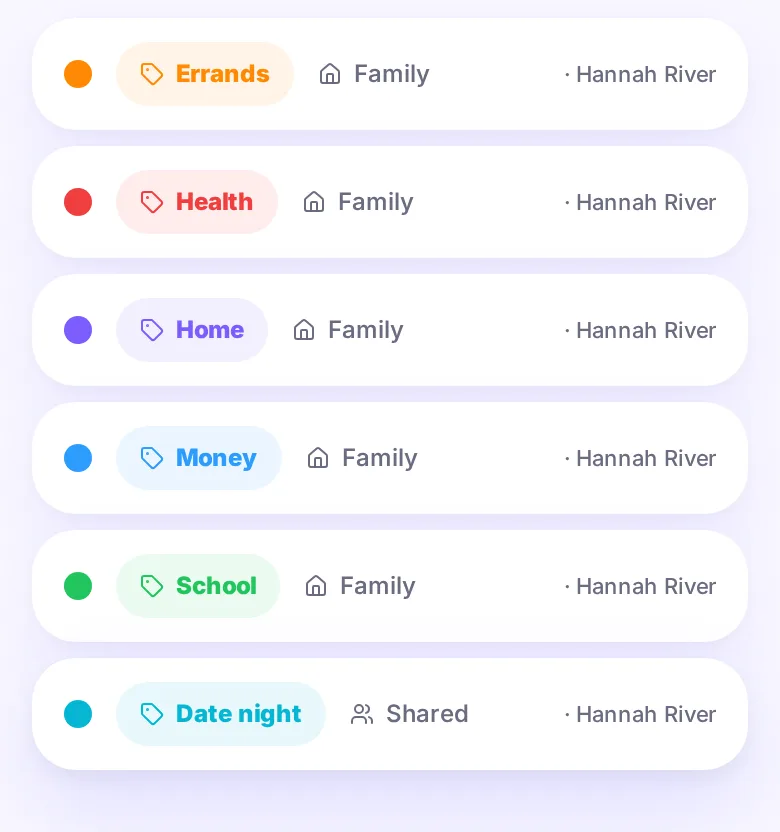
- FamilyEveryone in the household sees the label and its tasks. School, Home, Errands.
- SharedOnly the members you tick. “Date night” — just Hannah and Daniel.
- PrivateOnly you. “Gift ideas” — the birthday surprise stays a surprise.
Same household, three different views — enforced by your server, not just hidden in the app:
Everyday life
More than a to-do list.
The same family, the same app: from the school calendar to the weekly shop.
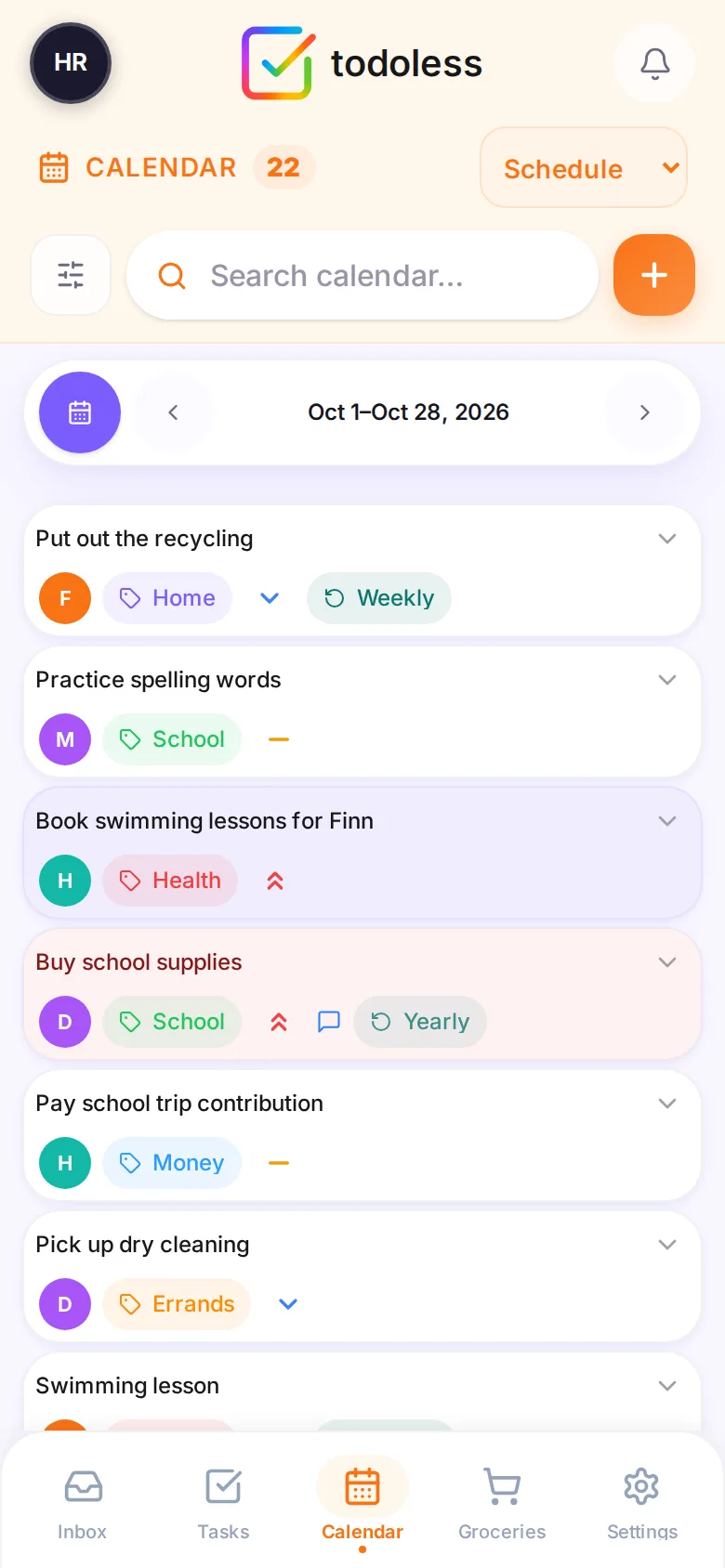
Every date in one calendar
Give a task a date and it’s on the family calendar — schedule, day, week or month. Import .ics files or subscribe from your phone’s calendar app.
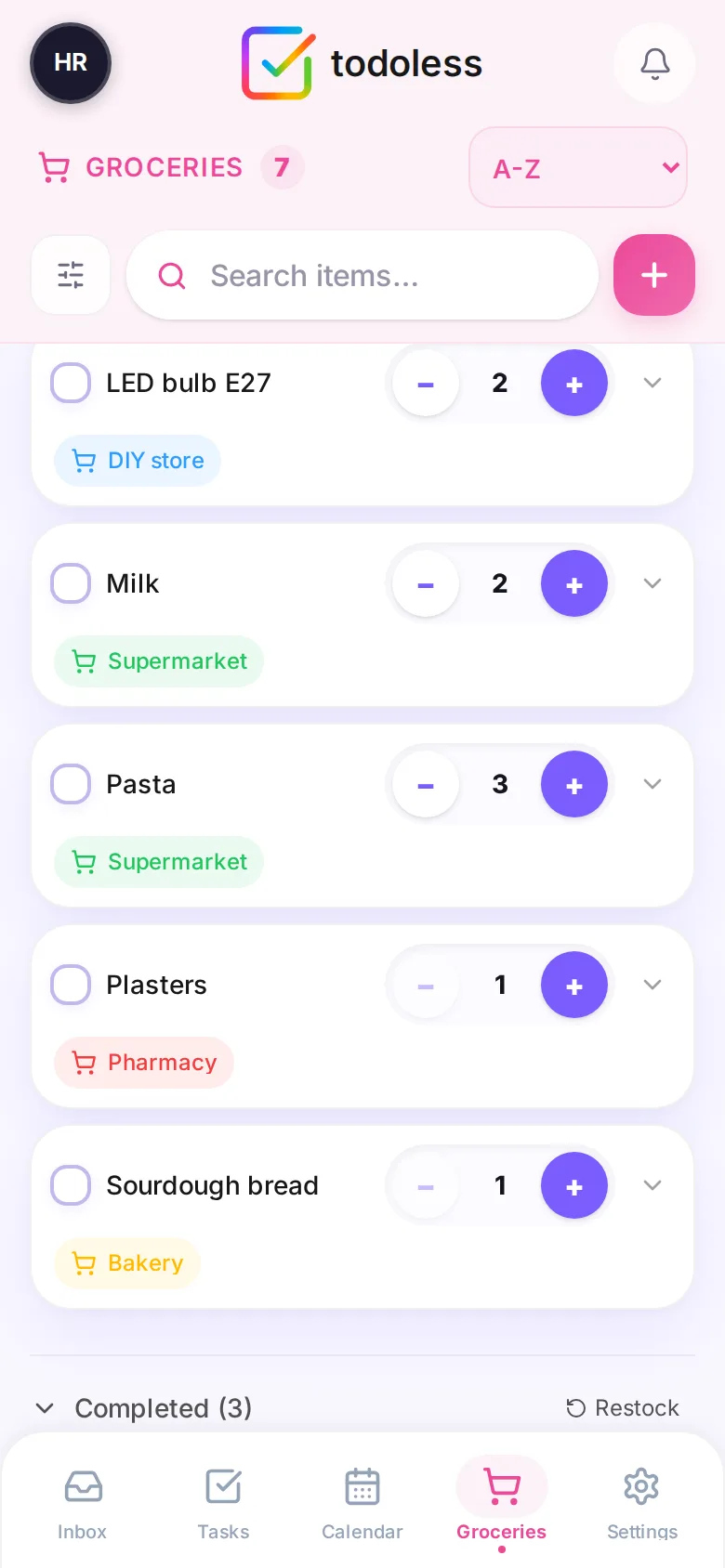
One shared shopping list
- Need it
- Add it
- Pick the shop
- Tick it off
- Restock
Quantities and shops you define. Whoever’s at the store sees the same list — and one tap on Restock puts the bought staples back on the list.
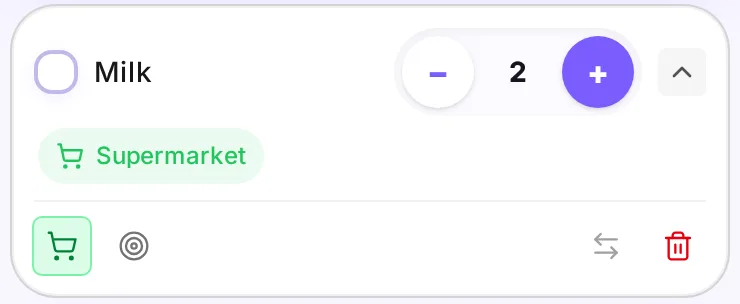
- ShopWhere to buy it — filter the list per store.
- QuantityHow many — tap − and +.
- FocusDon’t forget this one.
- SwapTurn a task into a grocery item, or back.
- RestockBought staples back on the list in one tap.
Control
Your family. Your data.
There is no todoless cloud. todoless runs on a computer you own, and your family’s tasks, calendar and lists live in a database on that machine — not on our servers, because we don’t have any.
Your family’s phones
- H
- D
- M
- F
Your server at home
Raspberry Pi 4+, NAS or any always-on Linux box
- todoless app
- Your database
- Daily backups (kept 7 days)
Not involved
- todoless cloud
- Ad networks
- Tracking & telemetry
No account with us
You create your family’s accounts on your own server. We never see them.
No tracking, no ads
No telemetry, no profiling, no business model built on your family’s life.
Your backups, never locked in
A consistent snapshot every night, the last seven kept. Restore from the admin dashboard; export your calendar as .ics.
Hardened by default
Containers run without root privileges and images are pinned, so updates are deliberate.
Self-hosting means you’re in charge — including who can reach your server. For access outside your home, use a private network such as Tailscale or put HTTPS in front with a reverse proxy.
Open source · Made in Europe
Software you can read, run and keep.
todoless is open source under the AGPL-3.0. Every line that touches your family’s data is public — inspect it, run it, improve it. Designed and built in Europe, with data ownership as a first principle, not an afterthought.
- Free forever. No subscription, no premium tier — every feature for everyone.
- Yours to keep. The AGPL keeps todoless and its improvements open for good.
- Speaks your language. English, Nederlands, Deutsch, Français and Español.
- Works on every phone. A fast web app you add to your home screen — iPhone, Android or desktop.
- Built in the open. Follow every release and changelog; issues and pull requests are welcome.
Install
Running in about five minutes.
Comfortable running a Docker container? Then this takes about five minutes: three copy-paste steps, then you’re creating your family.
- ✓ An always-on computer: Raspberry Pi 4+, NAS or Linux box
- ✓ Docker with Docker Compose (amd64 or arm64)
- ✓ About five minutes
-
1
Get todoless
git clone https://github.com/ChalidNL/todoless.git cd todoless -
2
Make a home for your data
sudo mkdir -p /DATA/AppData/todoless/pb_data \ /DATA/AppData/todoless/pb_migrations \ /DATA/AppData/todoless/pb_hooks sudo chown -R 1000:1000 /DATA/AppData/todolessThis is where your family’s database and backups live. It’s the default path in
docker-compose.yml— change it there if you prefer another location. -
3
Start it
docker compose up -d -
4
Create your family
Open
http://your-server-ip:7070, choose your language, create your account and name your household. Then invite everyone from Settings → Family. Everyone uses todoless in their phone’s browser and can add it to the home screen like an app — iPhone and Android. -
5
Optional: use it away from home
Reach your server safely from anywhere with a private network such as Tailscale, or HTTPS through a reverse proxy — see Running securely. Updating later is
git pull && docker compose pull && docker compose up -d.
The README has every option: ports, updates, backups and running securely.
Where todoless is heading
Calm today. Growing with your family.
Everything above works today. This is what’s next on the roadmap — not available yet, and we’ll always say so.
- Planned
A weekly family planning ritual
Sit down once a week, empty the Brain Dump together and agree on the Sprint.
- Planned
Push notifications & Android app
Reminders on your phone, straight from your own server.
- Exploring
Connect your home
Ideas like Home Assistant and Paperless-ngx integrations — shaped by the community.
- Available now
An open API
Build your own automations on the documented REST API. Swagger reference →

Less managing. More living.
Capture it. Organize it. Focus. Share the load — on your own terms.